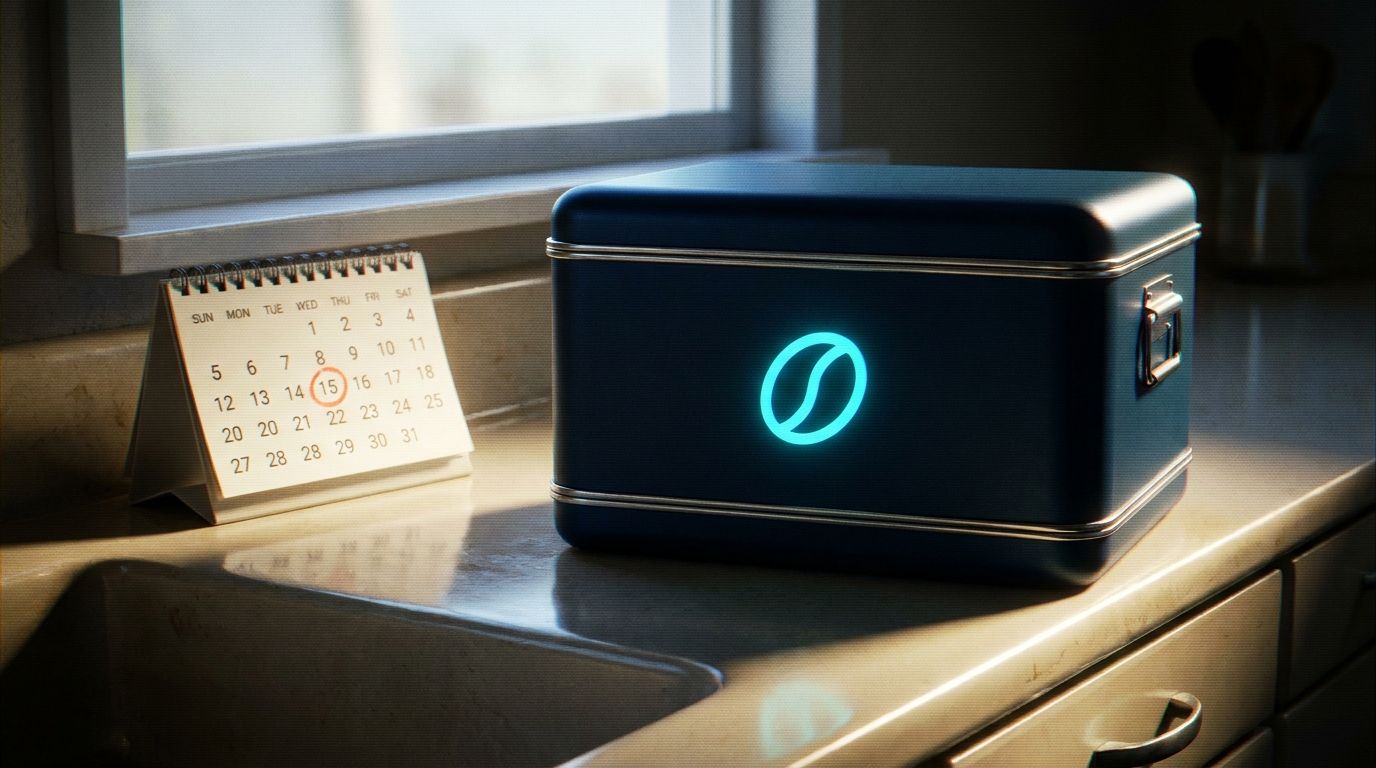
When someone asks to pause or skip their next subscription order, they're not necessarily quitting. They might be overstocked, traveling, tight on cash this month, or just need a billing cycle to breathe. How you respond to that request determines whether you keep the recurring revenue or watch it walk.
Many stores treat pause and skip requests the same way they handle cancellations: a quick confirmation and a polite goodbye. Customers who pause are still warm. They liked the product enough to subscribe in the first place, and they're telling you they want to stay connected. Your job is to make staying easy.
Why Customers Request a Pause or Skip
The reasons behind pause and skip requests tell you how to respond. A customer who's traveling for three weeks has a different need than one who's struggling with the price.
Temporary overstock. They haven't used up the last shipment yet. This is often the easiest to solve: offer a skip (one order) instead of a full pause, or let them shift to a longer billing interval (monthly to every six weeks, for example).
Budget pressure. They want the product but can't afford it right now. If your margins allow it, this may be a case for a temporary discount or a plan downgrade (smaller size, fewer items per box).
Traveling or life change. Moving, medical leave, maternity, extended vacation. These customers usually know when they'll be back. Confirm the pause duration and set a resume date.
Product dissatisfaction they're too polite to say. Sometimes "I need a break" means "this isn't working but I don't want to argue." Ask one clarifying question before you process the pause: "No problem, I can pause this for you. Just so I can help better, is it timing or something about the product itself?" The answer tells you whether to fix logistics or address fit.
Shopify Subscriptions emails customers three days before each recurring order, giving them time to skip, pause, or update payment details before the charge. That reminder is useful, but it's also the moment many customers bail without telling you why. If you're handling pause requests manually or through support, you have a chance to understand the reason before the subscription turns into a cancel.
Skip vs. Pause: Offering the Right Option
A skip postpones one order and keeps the subscription active. The customer stays on the same billing cycle; they just don't get charged or shipped next time. A pause stops all future orders until the customer (or you) manually resumes it.
Skips are lower-friction. If a customer says "I still have two bags of coffee left," offering a skip keeps the subscription alive without requiring them to remember to turn it back on later. Pauses require re-engagement, and every day a subscription sits paused is a day the customer might forget about you or find an alternative.
When someone contacts support, present both options clearly:
"Happy to help. I can either skip your next order (you'll be charged again on [date]) or pause the subscription until you're ready to restart. Which works better?"
If they choose pause, capture a target resume date:
"Got it. Any idea when you'd like to resume? I can set a reminder so you don't have to think about it."
Even a rough answer ("probably June") lets you follow up at the right time instead of hoping they remember on their own.
What to Say When a Customer Asks to Pause
Your reply should do three things: acknowledge the request, confirm what happens next, and keep the door open. Here's a template:
"No problem, I've paused your subscription. You won't be charged again until you're ready to resume.
If anything changes or you'd like to restart sooner, just reply to this email (or log into your account at [link]) and I'll turn it back on.
Before I go, is the pause because you're overstocked, or is there something about the product or timing we could adjust to make this work better?"
That last question is useful. It separates the customers who need logistics help from those who are quietly unhappy. If they say "just overstocked," you can offer a skip or a longer interval. If they mention price, quality, or fit, you have a chance to solve it before the pause becomes permanent.
For stores using Shopify Subscriptions, you can pause, resume, or cancel a subscription contract on a customer's behalf directly from the admin. You can also reschedule upcoming orders or adjust billing intervals without requiring the customer to log in.
Automating Pause and Skip Requests Across Channels
Pause requests come through email, but if you sell on Instagram, WhatsApp, or Facebook Messenger, customers will ask there too. Handling these requests manually across multiple channels burns hours and creates inconsistency.
An AI agent that connects to your live Shopify catalog and subscription data can process pause and skip requests the moment they arrive, in any channel, in the customer's language. Kolton pulls the customer's active subscription contracts, presents the skip vs. pause options, captures the reason, and either processes the change immediately (if you've granted that permission) or drafts the action for a team member to approve with one click.
Because the agent sees the full conversation history and order data, it can also offer alternatives. If a customer says "I need to pause, I can't afford it right now," the agent can check your catalog for a smaller plan, apply a one-time courtesy discount if you've configured that workflow, or escalate to a human with full context. You can explore how Kolton handles retention workflows across every channel in a unified inbox.
On the Pro and Max plans, Kolton also sends personalized follow-ups. If a customer paused for "two months," the agent can send a check-in at the six-week mark: "Hey, you paused your subscription in March. Ready to restart, or do you need a bit more time?" That kind of timing is difficult to manage manually at scale.
When to Offer an Incentive to Resume
Discounts can save a paused subscription, but only if the pause reason is price-sensitive. Offering 15% off to a customer who's traveling wastes margin and trains customers to pause for discounts.
Use this decision tree:
- Overstock or timing issue? Offer a skip, longer interval, or calendar-based resume. No discount needed.
- Budget or price concern? Offer a smaller plan, a one-time discount on the next order, or a loyalty credit ("I'll add a $10 credit to your next box"). Make it feel like a concession, not a default.
- Product dissatisfaction? Fix the product issue first. A discount on something they don't like won't keep them.
Track which pause reasons convert back to active subscriptions and which don't. If "overstocked" pauses resume frequently without intervention but "too expensive" pauses rarely resume, you know where to spend your retention budget.
Following Up on Paused Subscriptions
A paused subscription isn't a closed ticket. It's a lead. Stores that treat paused customers like a re-engagement segment can schedule follow-ups based on pause duration and reason.
30-day check-in for open-ended pauses. If the customer didn't give a resume date, reach out after a month:
"Just checking in. Your subscription is still paused. Want me to turn it back on, or do you need more time?"
Date-based reactivation reminders. If they said "pause until May," send a note in late April:
"You asked me to remind you in May about restarting your subscription. Ready to resume, or should I push it out a bit longer?"
Win-back offer after 90 days. If a subscription has been paused for three months with no engagement, escalate to a win-back campaign: a limited-time discount, a new product launch, or a note from the founder.
Shopify Subscriptions lets you segment customers by subscription status (active, paused, canceled, expired), so you can build automated email flows or review paused accounts in bulk. If you're running retention manually, export the paused list regularly and work it like a pipeline.
Handling Pause Requests That Are Really Cancellations
Some customers use "pause" as a soft no. They're conflict-averse and don't want to say "cancel," so they ask for a pause and never come back.
You can sometimes spot these:
- Vague or no reason given.
- Long pause request (six months, a year, "indefinitely").
- Previous pause within the last 90 days.
- Low engagement (hasn't opened an email or logged in recently).
When you see these signals, acknowledge the pause but also make cancellation easy:
"I've paused your subscription. If you decide later that you'd rather cancel outright, no hard feelings, just let me know and I'll take care of it. Otherwise, you're all set and can resume whenever you're ready."
This does two things. First, it gives the customer permission to be honest, which sometimes surfaces the real issue ("Actually, the product just isn't working for me"). Second, it signals that you're not going to pester them, which reduces the guilt and makes them more likely to resume on their own terms.
Building Pause and Skip Workflows Into Your SOPs
If you're training a human team or configuring an AI agent, your standard operating procedure should spell out:
- What the agent or team member can do autonomously. Process skips? Process pauses? Offer discounts up to a certain percentage? Adjust billing intervals?
- What requires approval. Large courtesy credits, plan downgrades that affect unit economics, pauses longer than 90 days.
- What questions to ask. Reason for pause, target resume date, whether they'd prefer a skip or interval change instead.
- What follow-ups to schedule. 30-day check-in, date-based reminder, 90-day win-back.
On Kolton's Max plan, you can configure custom SOP workflows that the agent follows for every pause request. For example: if reason equals "too expensive," offer plan downgrade; if reason equals "overstocked," suggest skip and longer interval; if no reason given, ask clarifying question before processing. These workflows ensure consistency across every channel and every team member, and they're useful when you're scaling support or handing off conversations between AI and human agents.
Measuring Pause and Skip Performance
Track these metrics monthly:
- Pause rate: pauses divided by active subscriptions. A spike might signal a product, pricing, or delivery issue.
- Resume rate: paused subscriptions that reactivate within 90 days. Break this down by pause reason.
- Skip-to-cancel ratio: customers who skip an order vs. those who cancel outright. Higher skip adoption may indicate lower churn.
- Lifetime value of paused customers: compare LTV of customers who paused and resumed vs. those who never paused. Sometimes pause-and-resume customers are more loyal because you solved a friction point.
If your resume rate is low, your follow-up process may not be working. If skip requests consistently mention the same issue (shipping cost, delivery timing, product size), that's product feedback disguised as a support ticket.
Key Differences: Shopify Subscriptions vs. Third-Party Apps
Shopify's native Subscriptions app lets you create auto-billed subscriptions with weekly, monthly, or yearly frequencies, and you can modify, skip, pause, and cancel contracts from the admin. Customers get an email reminder three days before each charge. The app is free, but it's also bare-bones: no advanced dunning, limited customer portal customization, and no built-in win-back flows.
Third-party apps (Recharge, Skio, Appstle, Smartrr, and others) add more flexibility: custom portal designs, SMS notifications, automated pause-to-resume nudges, and deeper analytics. They also add cost (typically monthly fees depending on volume) and complexity (another login, another integration to troubleshoot).
Whichever system you use, the customer-facing experience matters. A friendly, fast response to a pause request will save more subscriptions than a beautifully designed self-service portal that nobody reads.
When Pauses Become a Product Signal
If a large portion of your pause requests mention "too much product," your default billing interval may be too short. If customers keep pausing because they're "trying something else for a while," your product isn't differentiated enough or your retention hooks (community, content, education) are weak.
Pause reasons are some of the cleanest feedback you'll get. Customers are volunteering why your subscription model isn't working for them, in their own words, in real time. Log every reason, review them regularly, and look for patterns. Then fix the product, the pricing, or the experience so fewer people need to pause in the first place.
Retention starts before the customer asks for a break. But when they do ask, how you handle that conversation, whether it's through a well-trained team member or an AI agent connected to your live subscription data, determines whether you keep that recurring revenue or lose it.
Key takeaways
- Pause and skip requests are retention opportunities. How you respond determines whether recurring revenue stays or walks.
- Always ask why before processing a pause. Overstock, budget, and product dissatisfaction each need a different response.
- Offer skips (one order postponed) instead of pauses when possible. Skips keep the subscription active and don't require the customer to remember to restart.
- Schedule follow-ups based on pause reason and duration. A 30-day check-in for open-ended pauses and date-based reminders for planned resumes can drive reactivation.
- Track pause rate and resume rate by reason. If few pauses resume within 90 days, your follow-up process or product may need work.
- Pause reasons are product feedback. If the same issue appears repeatedly, fix the billing interval, product size, or value proposition so fewer customers need to pause.
Frequently asked questions
- What's the difference between pausing and skipping a subscription?
- A skip postpones one order and keeps the subscription on its regular billing cycle. A pause stops all future orders until you or the customer manually resumes it. Skips are lower-friction because they don't require re-engagement; the subscription automatically continues after the skipped order.
- Should I offer a discount to keep a customer from pausing their subscription?
- Only if the pause reason is price or budget-related. If they're overstocked or traveling, a discount won't help and trains customers to pause for deals. If they mention cost, offer a one-time discount, a smaller plan, or a loyalty credit. If they're unhappy with the product, fix that issue first.
- How long should I wait before following up on a paused subscription?
- Consider a 30-day check-in for open-ended pauses with no target resume date. If the customer gave a specific timeframe (like "pause until May"), follow up a week or two before that date. After 90 days with no engagement, escalate to a win-back offer or final check-in.
- Can I automate pause and skip requests without losing the personal touch?
- Yes. An AI agent connected to your Shopify subscription data can handle pause and skip requests in real time, in any channel, while still asking clarifying questions and offering alternatives based on the customer's reason. You can configure it to process simple requests autonomously and escalate complex or high-value cases to your team with full context.
- What if a customer keeps pausing and resuming every few months?
- Recurring pauses usually mean your billing interval doesn't match their usage. Suggest a longer frequency (monthly to every six weeks, or quarterly instead of monthly) or a smaller plan. Customers who pause repeatedly are telling you the default cadence is too aggressive for their needs.
Sources

About the author
Fran
Fran Bevanda is the founder of Kolton. He works with Shopify stores on running sales and customer support through AI agents that answer on chat, DMs, email and social comments using the store's live catalog, stock and orders. He speaks on conversational commerce at regional marketing conferences.
View profile →