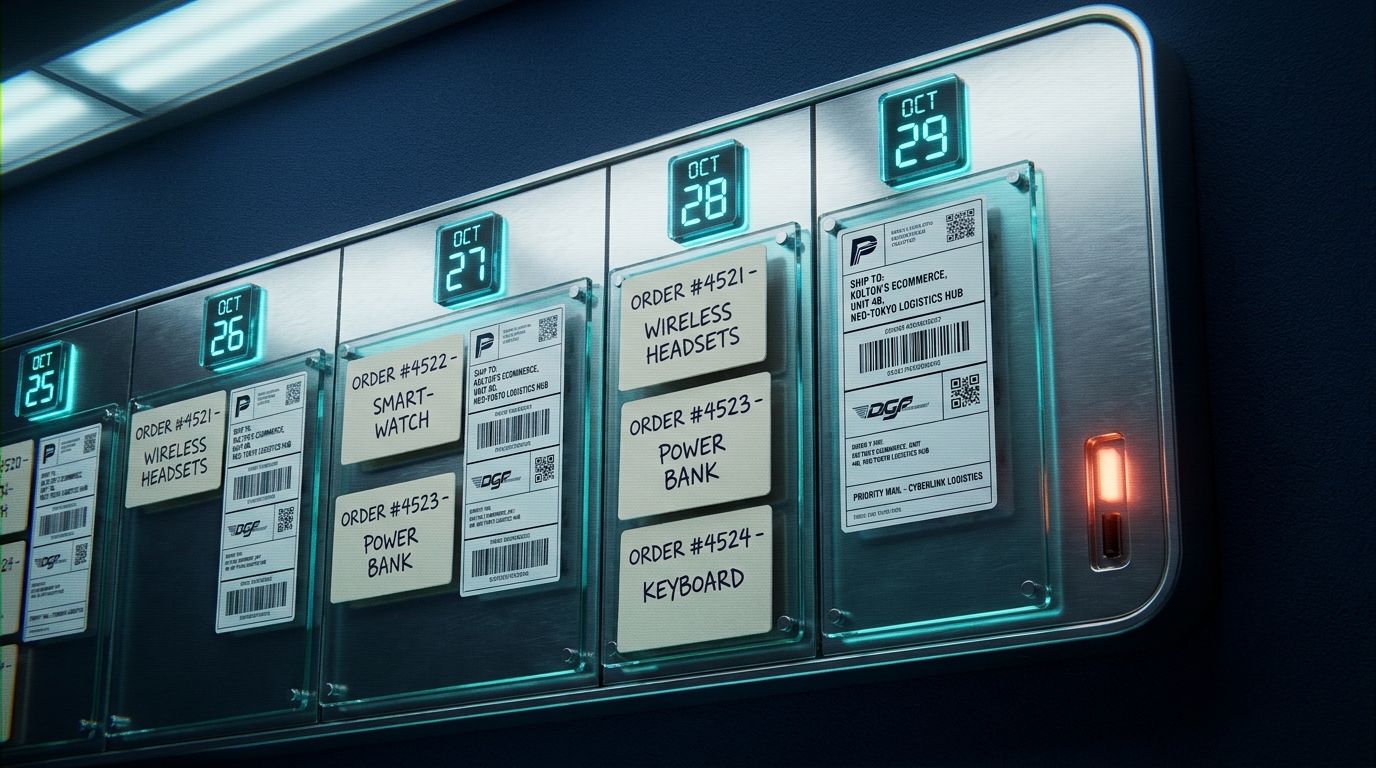
Meta introduced Spaces on November 6, 2026, a feature that lets you create custom experiences inside the Muse app simply by describing what you need. A merchant running print-on-demand or made-to-order can now tell Muse "build a production dashboard that shows unfulfilled orders, supplier messages, and shipping deadlines" and receive a working space in seconds.
What Spaces Actually Does
Spaces turns a natural-language prompt into an interactive dashboard that lives inside the Muse app. According to Meta's announcement, you describe your idea (a holiday gift tracker, a planning board, a trivia game) and Muse builds it. Once created, you refine the space by asking for additions, layout changes, or new features.
Each space can connect the apps you already use. Muse then keeps the space updated in the background, so new orders, price changes, or calendar events appear automatically without a second prompt. You can add spaces to the sidebar, move them into main tabs, hide them when not needed, or schedule when they appear. For example, a weekly planner can display during the workweek and swap for weekend plans on Saturday.
Meta says Spaces is available everywhere Muse is available as of November 6, 2026.
Three Ecommerce Workflows Worth Testing
Order and fulfillment tracker. Meta's announcement lists "an order tracker for your small business, with new orders, customer messages and what needs to ship today" as a sample use case. If your store uses Shopify for orders, Gmail for supplier threads, and a calendar for production deadlines, you could describe that workflow and let Muse assemble the view. When a new order arrives or a deadline shifts, the space updates itself. This workflow depends on whether Muse can authenticate with your Shopify store, Gmail account, and calendar, and on the permissions you grant for each app.
Client or wholesale hub. Freelancers and wholesale sellers often juggle projects, invoices, and buyer messages across email, spreadsheets, and notes. A space might pull open invoices, upcoming deadlines, and recent client emails into one dashboard. Whether Muse can write back to your invoicing tool or only display data will depend on each app's available integrations and permission model.
RSVP or event planner. The announcement mentions a wedding planner with an RSVP list, vendor invoices, and to-dos. A merchant hosting a product launch, trunk show, or pop-up could adapt the same pattern: guest list from a form or CRM, venue messages from email, and a checklist. Again, the space's ability to mark tasks complete or send confirmations depends on which apps Muse can write to, not just read.
Every proposed workflow assumes suitable app connections, data access, and permissions. The supplied documentation does not establish integration with Shopify's order API or other ecommerce platforms, so merchants will need to confirm compatibility and test permission flows before relying on a space for live operations.
Where Spaces Fits (and Where It Doesn't)
Spaces organizes backend workflows and surfaces information you need at a glance. It is not a front-line customer chat interface. If a shopper asks about order status, requests a size swap, or wants to know if two products work together, that conversation still belongs in a unified inbox.
Kolton already unifies Shopify orders, Instagram DMs, email threads, and web chat into one conversation view with merchant-configured permissions. A merchant who needs a bespoke inventory dashboard or fulfillment tracker can build that logic in Spaces, while Kolton handles the live customer question that arrives mid-fulfillment. The two tools address different parts of the merchant workflow: Spaces assembles data you look at, Kolton answers questions customers ask.
Meta has not published detailed permission documentation, so it remains unclear whether every external action (marking an invoice paid, updating a shipping status) requires fresh human approval or whether you can grant standing write permissions to certain apps. The announcement emphasizes that spaces "keep themselves up to date in the background," which suggests read access runs automatically once configured.
Limits and Unknowns
The announcement does not specify which third-party apps Spaces can connect, how authentication works, or whether API rate limits apply. Merchants should assume gradual rollout and test thoroughly before moving production workflows into a new space.
Meta says it is "exploring ways for you to share your spaces with others to build a more collaborative experience," but collaborative features are not yet documented. If you manage a team, you cannot yet confirm whether multiple staff members can view or edit the same order tracker.
The supplied documentation does not establish that Spaces can replace customer support tools or handle real-time conversations. It is designed to organize your own workflows, not to answer inbound questions at scale.
What This Means for Merchants
Spaces lowers the barrier to assembling a custom dashboard without hiring a developer or learning a no-code builder. If you have been maintaining a spreadsheet of pre-orders, a notes file of vendor contacts, or a calendar of fulfillment deadlines, you can describe that setup to Muse and let it pull the pieces together.
The value depends on how well Muse's app connectors cover your stack and whether the automatic updates stay accurate as your data changes. For order-tracking inquiries, wholesale requests, or product questions that need a human reply, the conversation still routes through a unified inbox. Spaces organizes the backend; live chat and DM handling remain separate problems that tools like Kolton already solve.
Merchants who want to test Spaces can visit the Muse app starting November 6, 2026, describe a dashboard idea, and refine it until it matches their workflow. As with any new integration, start with a non-critical use case and verify data accuracy before relying on the space for daily operations.
Key takeaways
- Meta launched Spaces on November 6, 2026, letting users describe a custom dashboard (order tracker, client hub, trip planner) that Muse builds and keeps updated by connecting apps.
- Possible ecommerce uses include a production tracker showing unfulfilled orders and shipping deadlines, a wholesale client hub with invoices and project timelines, or an event RSVP manager, each depending on available app integrations and permissions.
- Spaces organizes backend workflows and surfaces data you need; it does not handle front-line customer chat, which remains the domain of unified inboxes like Kolton.
Frequently asked questions
- Can Spaces connect to my Shopify store?
- Meta's announcement does not list specific app integrations. You will need to test whether Muse can authenticate with Shopify and what data it can read or write.
- Do I need to approve every update a space makes?
- The documentation says spaces keep themselves updated in the background, suggesting automatic read access once configured. Write permissions (such as marking an invoice paid) may require additional approval, but Meta has not published detailed permission flows.
- Can my team share one space for order tracking?
- Meta is exploring collaborative features but has not documented shared access yet. You cannot confirm multi-user editing or viewing at launch.
Sources

About the author
Fran
Fran Bevanda is the founder of Kolton. He works with Shopify stores on running sales and customer support through AI agents that answer on chat, DMs, email and social comments using the store's live catalog, stock and orders. He speaks on conversational commerce at regional marketing conferences.
View profile →