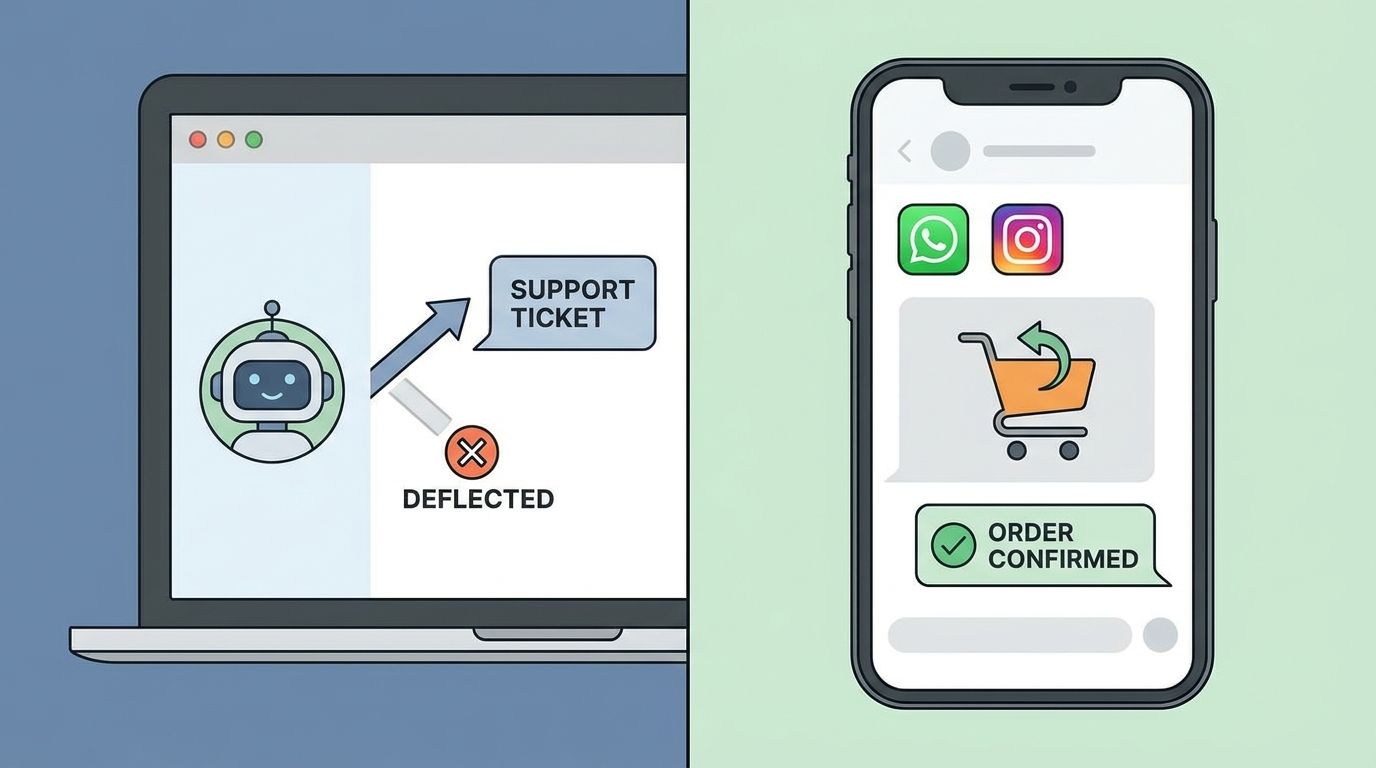
Most Shopify chatbots stop at "Where is my order?" They handle WISMO, point customers to the FAQ, and count deflections as a win. That's table stakes in 2026, not a competitive advantage.
The chatbots that actually matter now do two things: they close sales on autopilot, and they do it across channels. If your bot only lives on your website, you're leaving 70% of your customer conversations on the table. Instagram DMs, WhatsApp, Facebook Messenger, email replies. That's where buyers actually are.
This guide breaks down what separates a chatbot that sells from one that just keeps support costs flat. We'll cover the features that drive revenue, the pricing structures that make sense at different scales, and the one mistake nearly every store makes when picking a platform.
What most Shopify chatbots actually do (and why it's not enough)
The baseline Shopify chatbot in 2026 handles:
- Order tracking. "Where is my order?" gets an automated answer pulled from Shopify's fulfillment API.
- FAQ deflection. "What's your return policy?" links to your policy page or regurgitates it in chat.
- Basic product search. A customer types "red shoes" and sees a grid of product cards.
This is useful. It keeps your support team from drowning in repetitive questions. But it doesn't increase revenue. A bot that only deflects is a cost-saver, not a growth lever.
Here's what's missing:
- No cart recovery. If someone abandons on WhatsApp or Instagram, most chatbots can't follow up or offer a discount to close the sale.
- No cross-sell or upsell. Showing a product card isn't the same as understanding context and recommending the right bundle or variant.
- No multi-channel continuity. A customer starts a conversation on Instagram, switches to your site, and the bot treats them like a stranger.
The global chatbot market hit $11.8 billion in 2026 according to Grand View Research, with ecommerce accounting for nearly 30% of that spend. Most of that budget went to deflection tools. The stores that are actually growing are the ones using chatbots that sell.
What a revenue-driving Shopify chatbot looks like
A chatbot that drives sales does everything a support bot does, plus:
Proactive recommendations based on behavior
If someone browses your winter coat collection for three minutes without adding anything to cart, the bot should offer help. Not "Can I help you?" but "Looking for something waterproof or more fitted?" Context matters.
Cart recovery across channels
Abandoned cart emails are table stakes. A modern Shopify chatbot follows up on WhatsApp, Instagram, or Facebook Messenger with a personalized nudge and a one-click checkout link. If the customer replies, the bot can answer questions and close the sale without a human.
Real-time inventory and promotions
If a customer asks "Do you have this in size 8?", the bot should check Shopify inventory in real time. If size 8 is out of stock, it should offer size 7 or size 9, or notify them when 8 is back. Same with promotions. If you're running a flash sale, the bot should mention it at the right moment.
Order creation in-channel
The best Shopify chatbots let customers complete a purchase without leaving WhatsApp or Instagram. No link-out to a checkout page. The bot collects the order details, processes payment, and confirms the order. Friction kills conversions. Every extra step is a 10-20% drop-off.
Multi-channel memory
If a customer asks about sizing on Instagram, adds a product to cart on your site, then messages you on WhatsApp three days later asking about shipping, the bot should know all of that. Most don't. They treat every channel as a separate conversation.
kolton.ai unifies WhatsApp, Instagram, Facebook, email, and web chat so the AI agent has full context no matter where the conversation starts. It syncs your Shopify catalog, order history, and customer data in real time, and it can close sales, recover carts, and handle support without a human.
Comparing Shopify chatbot options: pricing and features
Kolton’s current plans are Free ($0, 50 AI replies/month), Starter ($49/month or $470/year, 400 replies/month), Pro ($249/month or $2,240/year, 3,000 replies/month), and Max ($1,197/month or $9,340/year, 15,000 included replies/month). Free, Starter and Pro pause AI replies at the included monthly limit until an upgrade or the next billing cycle. Max continues beyond its included volume at no extra charge. There are no per-resolution or overage fees; optional extra-store add-ons cost extra. Pro and Max include all supported channels, AI comment replies and cart recovery. See current plans.
Compare vendors using the same workload, but keep their billing units separate. AI replies, conversations, tickets and outcomes are not interchangeable: one conversation may need several replies. Include teammate seats, channel charges, add-ons and the selected billing period where applicable. A flat price does not mean every plan has unlimited capacity. No saving or return on investment is guaranteed.
The one mistake almost every store makes
Picking a chatbot based on support deflection rate instead of revenue impact.
Deflection is easy to measure. Your helpdesk shows you how many tickets the bot "resolved" without a human. That number feels good. But it doesn't tell you if the bot is helping or hurting sales.
Here's what matters more:
- Conversion rate on bot-assisted sessions. If someone interacts with your chatbot, are they more or less likely to buy?
- Cart recovery rate by channel. How many abandoned carts does the bot actually close?
- AOV on bot-recommended upsells. If the bot suggests a bundle or add-on, does it increase order value?
Most Shopify chatbots don't track these metrics. They track deflection because that's what they're built for. If you want a chatbot that grows revenue, make sure it reports on revenue, not just tickets saved.
How to pick the right Shopify chatbot for your store
Start with your volume and your team:
Under 500 orders/month, small or no support team:
Shopify Inbox or a simple website chatbot like Chatling will handle the basics. You probably don't need multi-channel yet.
500-5,000 orders/month, support team of 1-3:
You're at the point where Instagram and WhatsApp matter. Look for a multi-channel AI agent that integrates directly with Shopify. kolton.ai is built for this stage. It handles support and drives sales without adding headcount.
5,000+ orders/month, dedicated CX and growth teams:
You need an AI agent that scales with you. Look for deep analytics, custom workflows, and real-time sync with Shopify. If you're on Shopify Plus, make sure the chatbot supports Plus-specific features like wholesale channels and custom checkout flows.
Two questions to ask any vendor:
- Can your bot close a sale without the customer leaving the chat? If the answer is "they click a link to checkout", you're losing conversions.
- Do you track revenue impact or just deflection? If they only talk about tickets saved, they're a support tool, not a growth tool.
What kolton.ai does differently
kolton.ai is an AI agent platform built specifically for ecommerce and DTC brands. It unifies WhatsApp, Instagram, Facebook, email, and web chat into one inbox, and the AI agent handles both support and sales on autopilot.
Here's how it compares to a typical Shopify chatbot:
- Multi-channel by default. Customers can start a conversation on Instagram, continue it on WhatsApp, and finish the purchase on your site. The AI agent remembers everything.
- Real-time Shopify sync. Your catalog, inventory, order status, and customer data stay up to date automatically. No manual training.
- In-channel checkout. Customers can complete a purchase inside WhatsApp or Instagram without clicking out. Lower friction, higher conversion.
- Cart recovery with context. If someone abandons, the AI agent follows up on the channel they prefer, answers objections, and offers a discount if needed.
- Revenue analytics. You see conversion rate, AOV, and revenue per conversation, not just deflection rate.
Kolton’s current plans are Free ($0, 50 AI replies/month), Starter ($49/month or $470/year, 400 replies/month), Pro ($249/month or $2,240/year, 3,000 replies/month), and Max ($1,197/month or $9,340/year, 15,000 included replies/month). Free, Starter and Pro pause AI replies at the included monthly limit until an upgrade or the next billing cycle. Max continues beyond its included volume at no extra charge. There are no per-resolution or overage fees; optional extra-store add-ons cost extra. Pro and Max include all supported channels, AI comment replies and cart recovery. See current plans.
When a chatbot isn't the right move
If your store is under 200 orders a month and you're not getting support volume yet, don't add a chatbot just because everyone else has one. You're better off spending that time on product photography, email flows, or Meta ads.
A chatbot makes sense when:
- You're answering the same questions over and over (WISMO, sizing, return policy).
- You're getting DMs on Instagram or WhatsApp and can't keep up.
- You have abandoned cart volume worth recovering (at least 50-100 carts a month).
- You want to offer 24/7 support without hiring a night shift.
If none of those apply yet, focus on growth first. A chatbot accelerates what's already working. It doesn't fix a store that isn't converting.
What to do next
If you're running a Shopify store and you're ready to move beyond basic WISMO automation, here's the play:
- Audit where your customer conversations actually happen. Check your Instagram DMs, WhatsApp, email, and website chat. If more than half are happening off your site, a website-only chatbot won't solve the problem.
- Pick a tool that tracks revenue, not just deflection. You want a chatbot that reports conversion rate, cart recovery, and AOV, not just how many tickets it "resolved."
- Start with one high-impact use case. Cart recovery is the easiest win. If your bot can follow up on abandoned carts across WhatsApp and Instagram, you'll see ROI in the first month.
If you want to see how kolton.ai handles multi-channel support and sales for Shopify stores, check out the Shopify integration page or book a demo. The AI agent is live in under 24 hours, and it starts driving sales immediately.
Key takeaways
- Deflection isn't revenue. A chatbot that only handles support questions saves time but doesn't grow sales. Look for tools that recommend products, recover abandoned carts, and close orders in-channel.
- Multi-channel beats website-only. Most customer conversations happen in Instagram DMs and WhatsApp, not live chat. A Shopify chatbot that only covers your site misses the majority of buying intent.
- Real-time sync is non-negotiable. If your chatbot can't check inventory, pull order status, or apply discounts without a human, it's just a prettier FAQ page.
- Pricing should stay predictable. Per-resolution and per-ticket fees punish growth. Look for flat monthly pricing with a generous included conversation volume, so your bill doesn't spike when sales do.
- Pick a chatbot based on revenue impact, not deflection rate. Conversion rate on bot-assisted sessions, cart recovery rate, and AOV on upsells matter more than tickets saved.
Frequently asked questions
- What's the difference between a Shopify chatbot and a helpdesk bot?
- A Shopify chatbot integrates directly with your store's catalog, inventory, and order data. It can recommend products, check stock, and pull order status in real time. A helpdesk bot sits inside your support tool (like Zendesk or Gorgias) and deflects tickets, but it usually can't close sales or access Shopify data without extra setup.
- Do I need a chatbot if I already use Shopify Inbox?
- Shopify Inbox is free and fine for basic website chat and WISMO. But it doesn't work on Instagram, WhatsApp, or Facebook. It also can't recover abandoned carts, recommend products based on behavior, or let customers check out in-channel. If you're getting volume on social or want to drive sales (not just answer questions), you need a multi-channel AI agent.
- Can a Shopify chatbot actually close sales, or does it just link to checkout?
- Most chatbots link out to a Shopify checkout page, which adds friction and drops conversion. The best ones (like kolton.ai) let customers complete the purchase inside WhatsApp, Instagram, or Facebook Messenger without leaving the chat. In-channel checkout removes a major drop-off point.
- How much does a good Shopify chatbot cost?
- Kolton’s current plans are Free ($0, 50 AI replies/month), Starter ($49/month or $470/year, 400 replies/month), Pro ($249/month or $2,240/year, 3,000 replies/month), and Max ($1,197/month or $9,340/year, 15,000 included replies/month). Free, Starter and Pro pause AI replies at the included monthly limit until an upgrade or the next billing cycle. Max continues beyond its included volume at no extra charge. There are no per-resolution or overage fees; optional extra-store add-ons cost extra. Pro and Max include all supported channels, AI comment replies and cart recovery. See current plans (https://kolton.ai/pricing). Compare vendors using the same workload, but keep their billing units separate. AI replies, conversations, tickets and outcomes are not interchangeable: one conversation may need several replies. Include teammate seats, channel charges, add-ons and the selected billing period where applicable. A flat price does not mean every plan has unlimited capacity. No saving or return on investment is guaranteed.
- What metrics should I track to know if my chatbot is working?
- Don't just track deflection rate (tickets saved). Focus on revenue metrics: conversion rate on bot-assisted sessions, cart recovery rate by channel, average order value on bot-recommended upsells, and total revenue attributed to the bot. If your chatbot dashboard doesn't show these, it's probably a support tool, not a growth tool.
- Can a chatbot handle returns and refunds automatically?
- Some can. A chatbot with a deep Shopify integration can pull order details, check your return policy, and generate a return label. For refunds, most still hand off to a human because of fraud risk, but the bot can collect the details and create a ticket. Full automation depends on your risk tolerance and how you've set up your return process in Shopify.
Sources

About the author
Mario
Mario Horvat builds Kolton, the AI agent that helps Shopify stores turn conversations across chat, DMs and social comments into orders. He focuses on how the agent answers shoppers from a store's live catalog, stock and order data.
View profile →